Installing Mods Manually
This is not recommended for new players.
The community will be less likely to assist with issues related to manual installations, and you can possibly ruin your game installation. If you want to modify your game, it is preferred that you follow the Thunderstore/R2ModManager Installation Tutorial.
Proceed at your own risk.
Prerequisites
Before we start, make sure you have:
or, for Developers, I recommend using the direct equivalent of Shimloader:
- RE-UE4SS (UE4SS_v#.#.#.zip) (If you are using this, I recommend using the experimental-latest download, as the v3.0.1 version has an issue that prevents it from loading blueprint mods from folders inside the LogicMods folder)
Voices of the Void mods are mostly tested on Windows. Other platforms have varying levels of support.
Setting Up UE4SS/Shimloader
After you have installed the game, download the Latest RE-UE4SS.
Extract the Contents of the Thunderstore-unreal_shimloader-#.#.#.zip or UE4SS_v#.#.#.zip into VotVDirectory/VotV/Binaries/Win64.
Before Extracting:

After Extracting (UE4SS Example, Shimloader is similar):
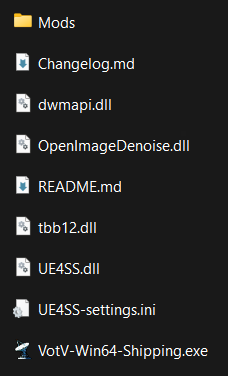
After extracting the files, open the /UE4SS/Mods/ folder (or just /Mods/ if you use UE4SS directly). Open the file mods.txt. You'll be presented with something like this:
CheatManagerEnablerMod : 1
ActorDumperMod : 0
ConsoleCommandsMod : 1
ConsoleEnablerMod : 1
SplitScreenMod : 0
LineTraceMod : 0
BPModLoaderMod : 1
BPML_GenericFunctions : 1
jsbLuaProfilerMod : 0


; Built-in keybinds, do not move up!
Keybinds : 1
Ensure that BPModLoaderMod is set to 1, just like in the above example.
Installing Mods
To install a Mod, go to Thunderstore's website, specifically the Voices of the Void category.
Find any mod you want to download and open it in a new tab. You'll be presented with a page similar to this:
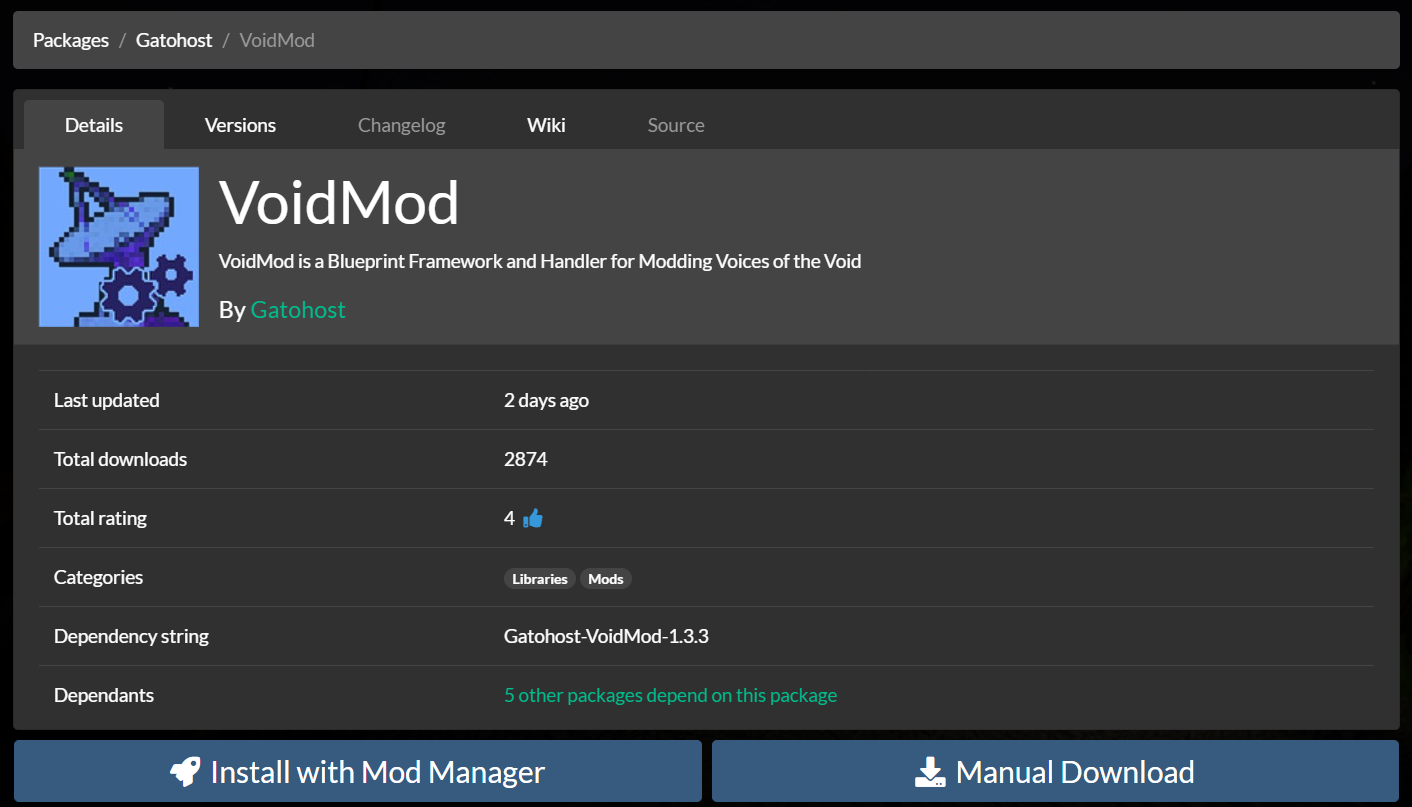
Simply click on "Manual Download", which should download a ZIP archive containing the mod's contents.
Some mods depend on other mods!
Make sure you install Dependencies, which are listed below the Download buttons. If your game crashes whilst loading, chances are you are missing a dependency or have outdated mods! (Unless you get the generic
Fatal Error!, which is an odd bug with modding)

Once you've downloaded your mods, you will be greeted with a ton of archive files to be extracted.
Mods downloaded from Thunderstore use the following format:
📁 MOD_AUTHOR-MOD_NAME-#.#.#.zip
    📄 manifest.json
    📄 README.md
    🖼️ icon.png
    📁 mod
        📄 enabled.txt
        📁 scripts
            📄 main.lua
        📁 dll
            📄 main.dll
    📁 pak
        📄 MOD_NAME.pak
    📁 cfg
        📄 MOD_AUTHOR-MOD_NAME-cfg.json
To install this type of mod:
- Put
.pakFiles from/pak/into/Game/VotV/Content/Paks/LogicMods/ - Put the
modDirectory into/Game/VotV/Binaries/Win64/Mods/. Rename it to the name of the mod.